AEROVIBE / V06 SERIES
A new view.
Ready to unfold.
A foldable drone, a screen in your hands, and a different way to see your surroundings.


AeroVibe Drone
V06
V06
Couldn't load pickup availability
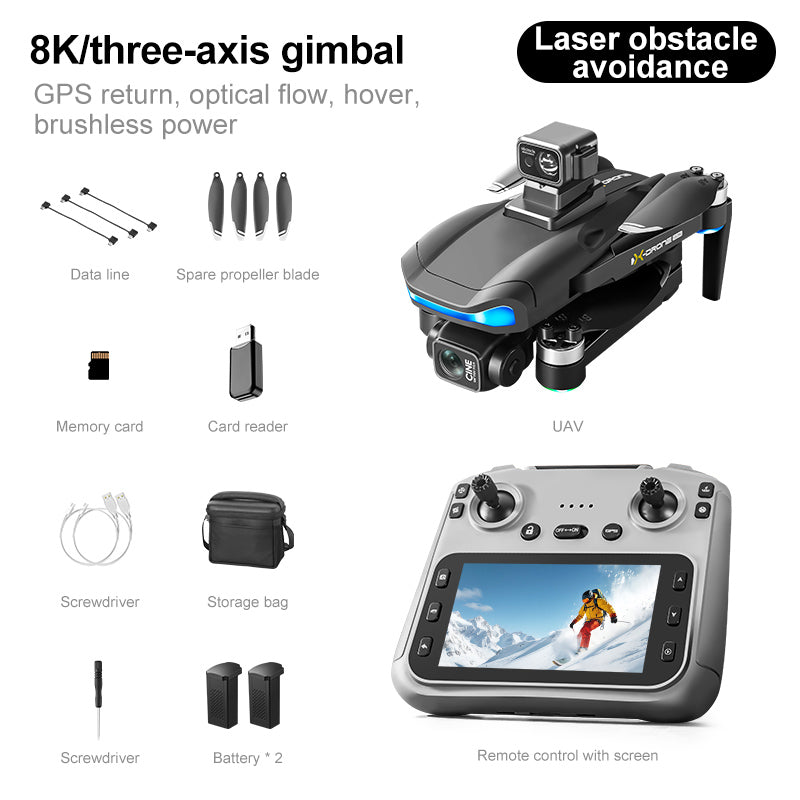
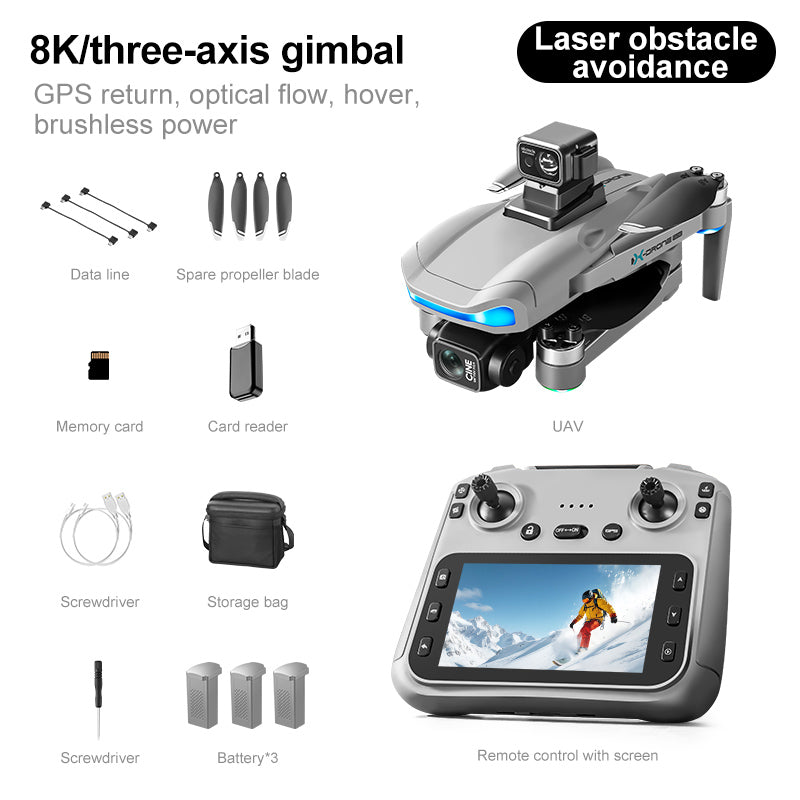
Meet the AeroVibe V06, a foldable drone with a three-axis gimbal camera, GPS positioning, and an integrated-screen controller. The gimbal helps reduce movement in your footage. Explore optical-flow hovering, Follow the Controller, and Circle modes using the supplied instructions. Choose Black or Grey, then select a two- or three-battery kit. Each flight battery is rated at 7.4V, 2000mAh (14.8Wh). Check the purchase panel for current availability.




V06. A closer look.
Explore the camera and the details around it.
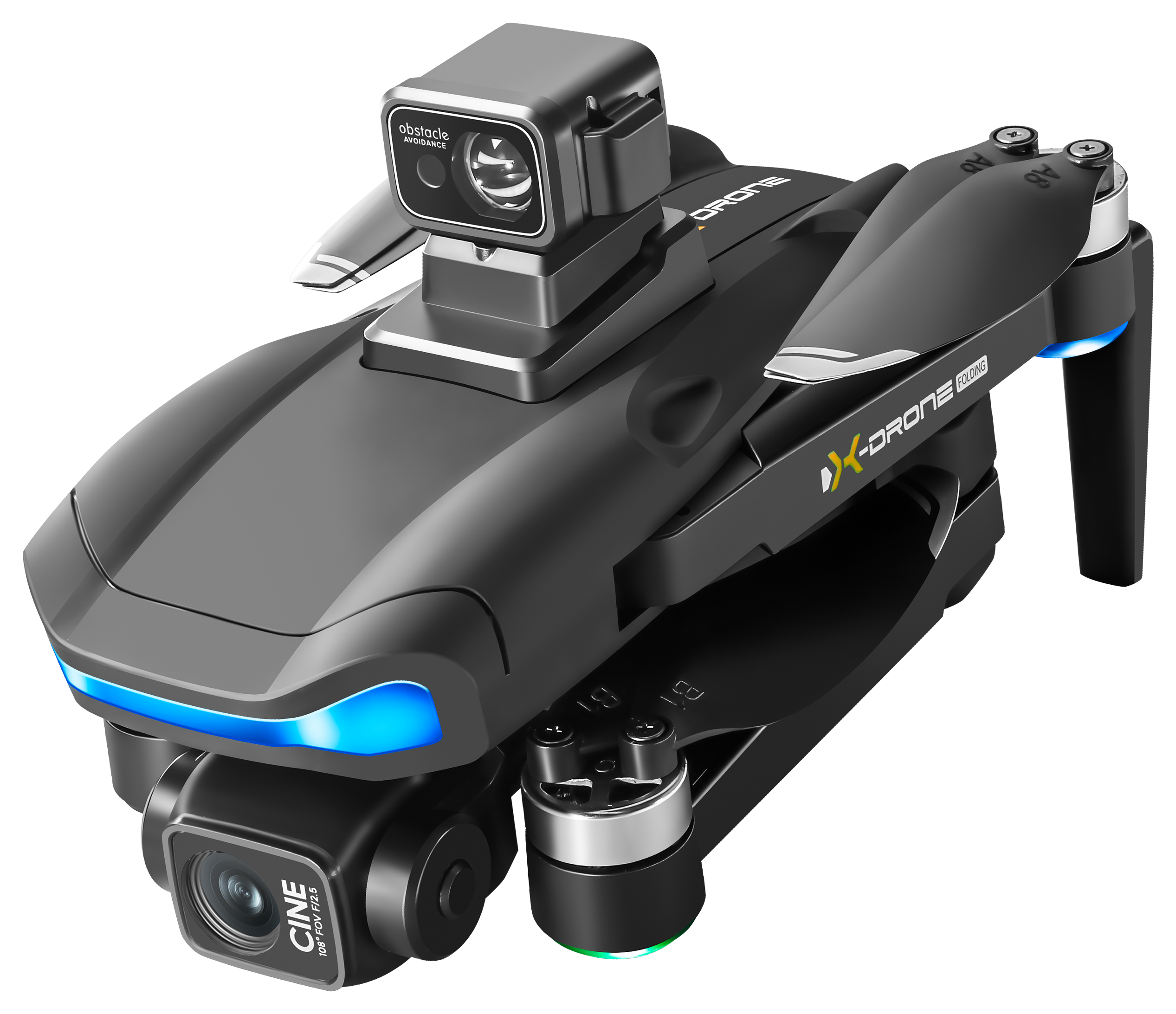
CAMERA & GIMBAL
Camera & gimbal
Explore the V06 camera and gimbal assembly.
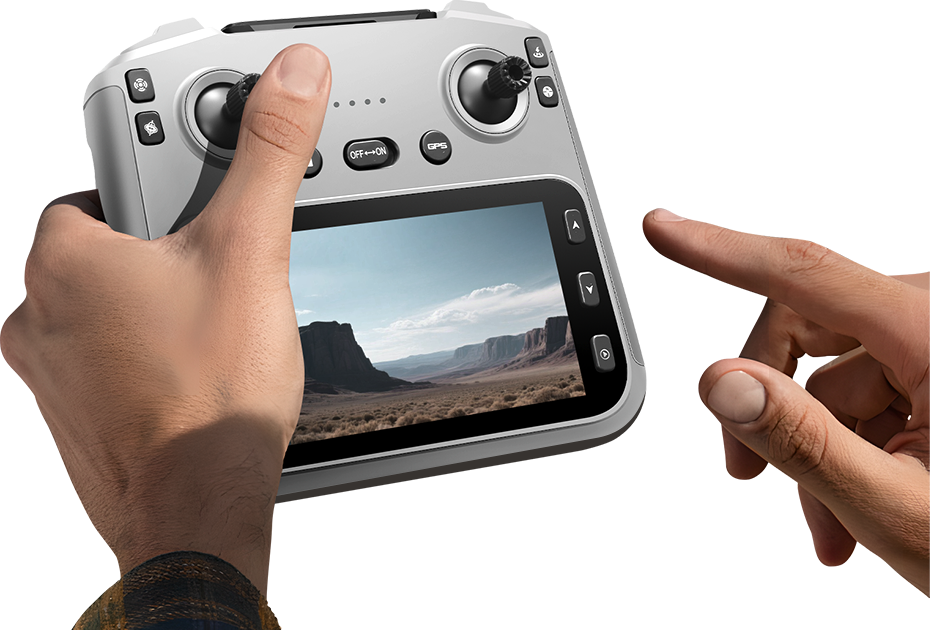
Screen controller
An integrated screen brings the camera view to your controller, with flight sticks and buttons close at hand.
Foldable arms
The arms fold alongside the body for storage.
Get to know your V06.
From the camera to the controls, see how the flight features work together.
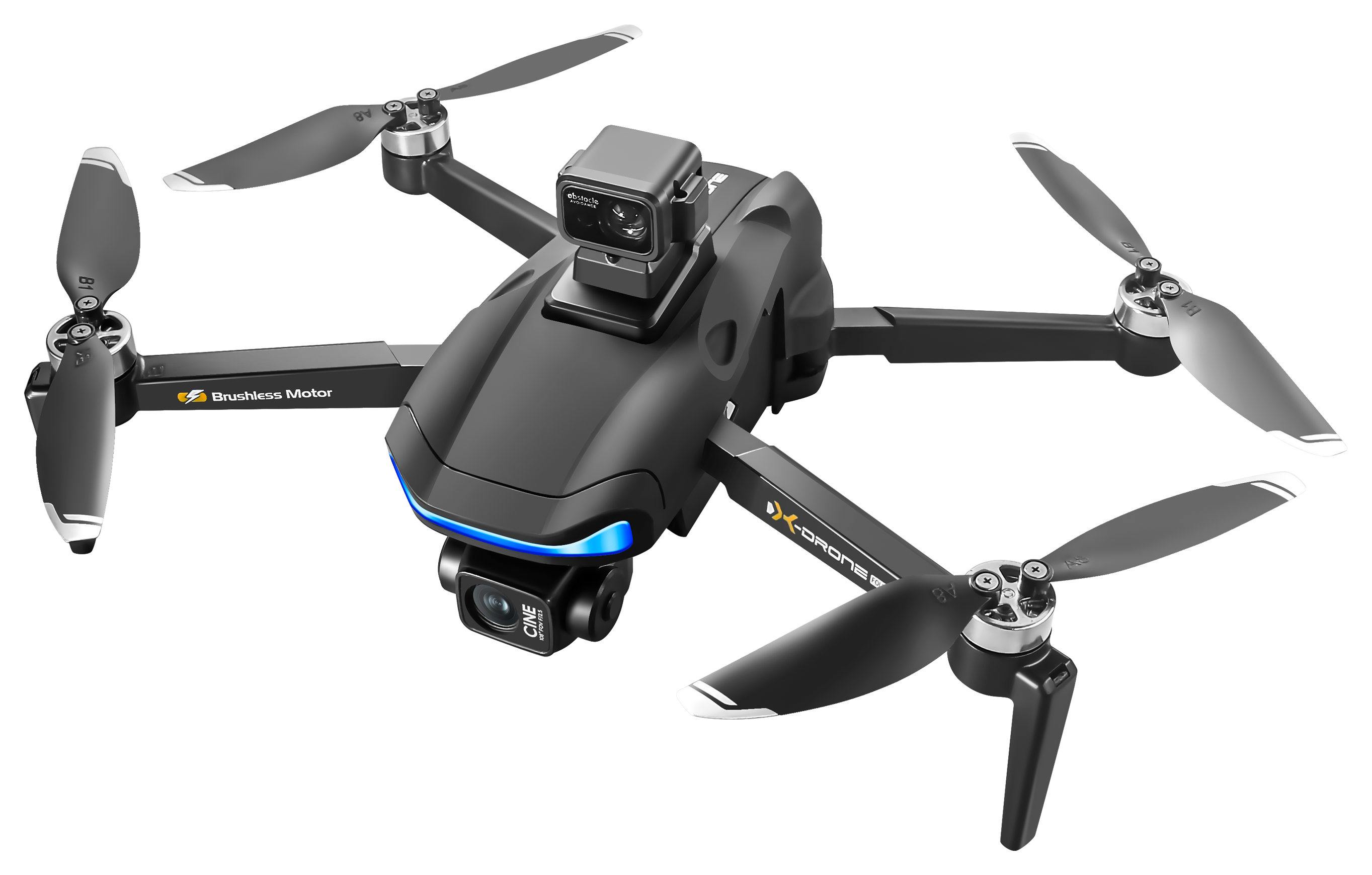
- Three-axis gimbal
- The front camera sits in a mechanical gimbal designed to reduce the effect of aircraft movement on your footage.
- GPS positioning
- GPS supports positioning and return-to-home functions. Follow the setup instructions before take-off so the aircraft can establish its return point.
- View from the controller
- The integrated screen displays the camera view while the flight sticks and camera controls stay within reach.
Explore the flight modes.
Optical flow hovering
The downward-facing camera provides visual positioning to help the aircraft hold its hover.
Follow the controller
Follow mode lets V06 follow the remote controller as it moves, helping you capture a moving viewpoint.
Circle around your position
Circle mode uses the remote controller as the centre of the flight path, giving you a changing view of the surrounding scene.
Check the supplied instructions for how to set up and use each mode.
Explore the details.
Dimensions and controller layout, together in one place.
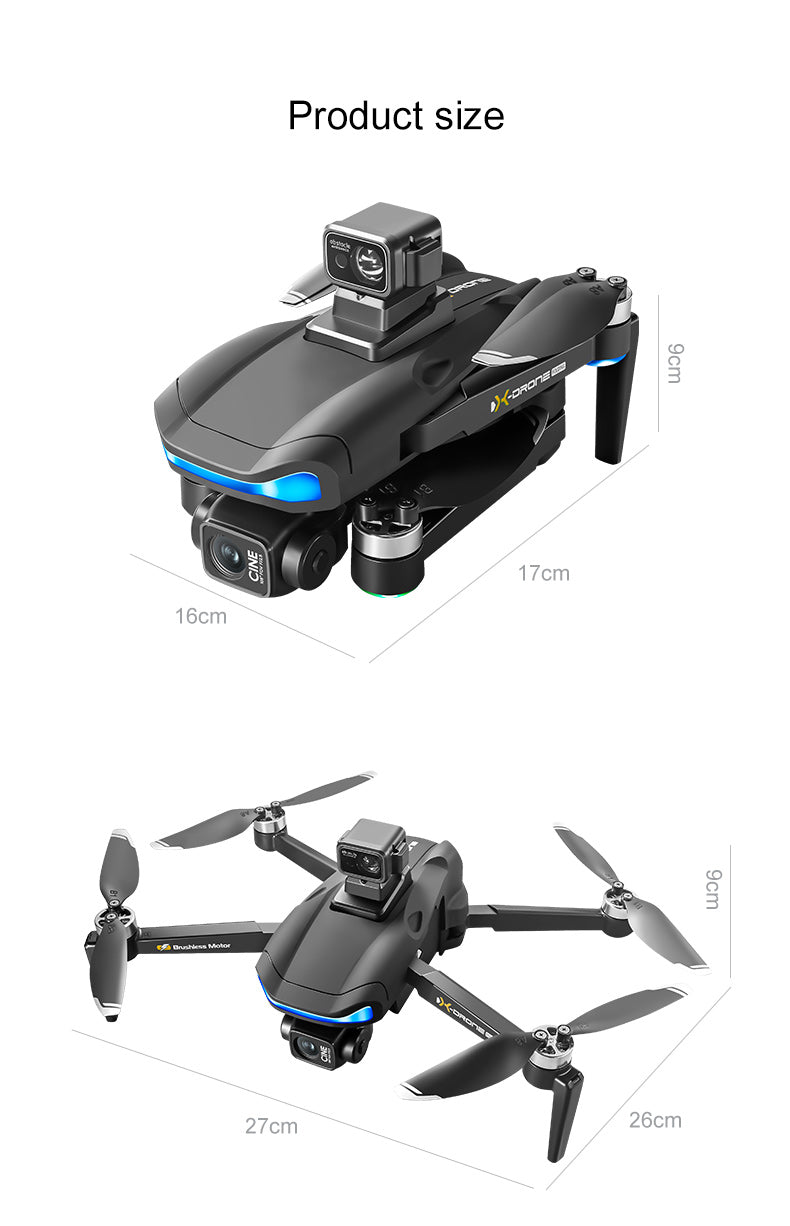
Size & folding
Compare the aircraft with its arms open and folded for storage.
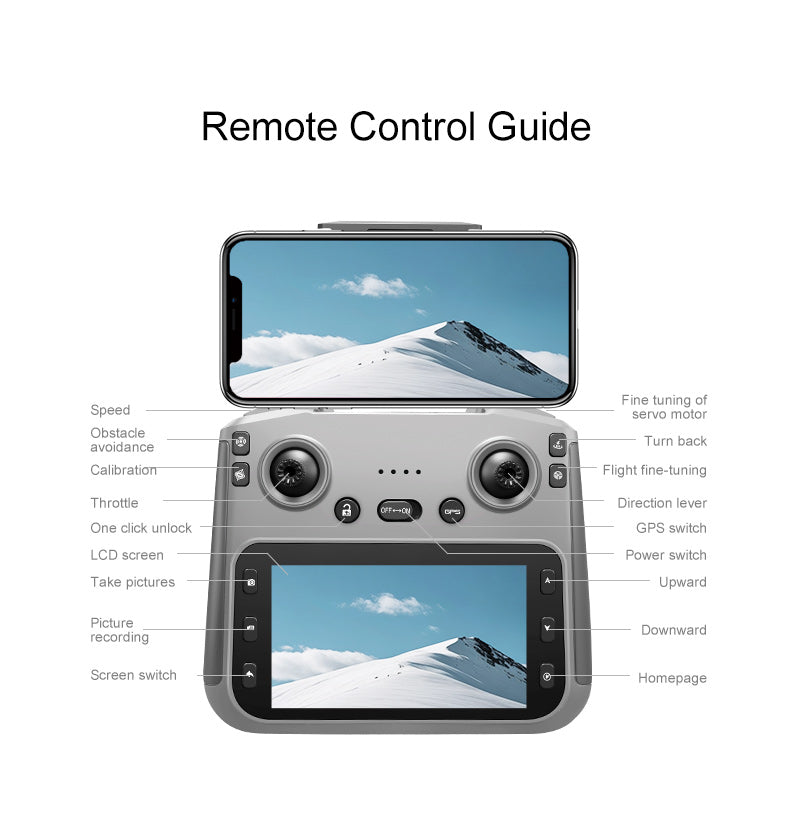
Screen controller guide
Get familiar with the screen, sticks and button layout before your first flight.
Share your experience.
Already flown this aircraft? Tell us about your experience. Your message goes to the AeroVibe team and is not published automatically.